
Lansing State Journal
USA TODAY Co.News & Magazines
3.091.00 Reviews
- Version
- 8.10.3
- Installs
- 10.00K
- Age Rating
- Everyone 10+
Screenshots




Our Review of Lansing State Journal
 Analysis by Appyee
I spent time with Lansing State Journal as a mobile news reader, and my first impression is that it makes the most sense when I want a quick connection to local reporting rather than a broad, all-purpose news platform. It comes from USA TODAY Co., sits in the News & Magazines category, and focuses on the Lansing area while also bringing in wider coverage. The experience is built around reading articles, viewing photography, and watching news video, so the quality of your connection has a direct effect on how comfortable the app feels.
The important thing to understand is that this is a connected news experience. Stories, images, and video are most useful when the app can reach its online content. On a reliable home or office connection, that arrangement feels natural. On a weak mobile signal, the experience becomes more dependent on patience: text may be manageable, while large images and video are more likely to interrupt the rhythm of browsing. I would recommend it to readers who follow Lansing news regularly and do not mind using a connection for their news routine.
How Lansing State Journal feels during everyday connected use
I judge a connected news app not only by what it covers, but by how smoothly it fits between a spare moment and a fuller reading session. Here, I’d treat the first visit as a quick check of Lansing headlines, then choose one story to follow rather than opening every visual item at once. That simple rhythm helps keep the local reporting useful without letting media loading or mobile data dictate the whole session.
A local starting point instead of an endless national feed
What distinguishes this app from a typical national news reader is its local identity. The store description presents Lansing State Journal as a source for local and national news, and that combination matters in practice. I can imagine opening it first for something close to home, then moving outward to stories with broader relevance. That is a more focused habit than opening a general news aggregator and immediately facing a crowded mixture of subjects, publishers, and recommendations.
The local emphasis is especially useful for readers who want their news habit tied to a particular community. If your interests include what is happening around Lansing, a publication-centered app can feel more coherent than a collection of unrelated sources. The trade-off is that it is not designed to replace every kind of news service. Someone looking for a highly customizable international dashboard, a large collection of specialist publications, or a single screen combining many regions may prefer a broader aggregator.
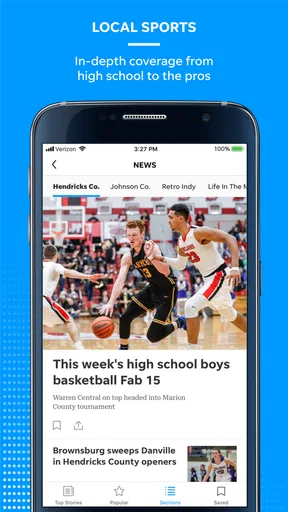
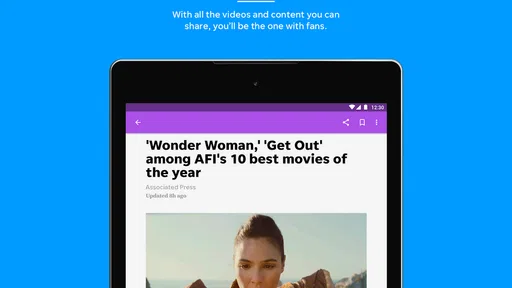
I also noticed how much the app’s appeal depends on the format of the material. This is not simply a text-only bulletin. Photography and video are part of the package, which can make a local story easier to understand and more engaging than a short headline alone. A visual report from an event, neighborhood, or public scene can communicate context that a paragraph may leave out. At the same time, those richer elements make the app more sensitive to connection quality and more demanding than a lightweight text feed.
What happens when the connection is strong
With a dependable connection, browsing feels closest to what I expect from a modern newspaper app. I can move from a headline into a full story, take in the accompanying visual material, and decide whether a video is worth my time. This works well during a morning routine when I have a few minutes to scan local developments, or in the evening when I want to spend longer with a report rather than just glance at alerts from several unrelated apps.
The strongest use case is deliberate checking. Instead of treating the app as background noise, I would open it when I want to catch up on Lansing coverage and then follow the stories that matter to me. The local-and-national mix gives that session some range without making the app feel completely detached from its home audience. It is a good fit for readers who value a publication’s editorial focus over the randomness of a general-purpose feed.
Video changes the way I use it. I do not automatically play every clip while connected to mobile data. I prefer to read the article first and then decide whether the video adds something meaningful. That small habit prevents the visual material from taking over the session and helps me stay aware of how much data the app may be using. It also makes the app feel more like a news source and less like a stream of media competing for attention.
Using it while moving around
The app is easier to appreciate in short mobile sessions than in situations where I need a guaranteed uninterrupted briefing. On a commute, in a waiting room, or between appointments, I can check the local news and leave after reading one or two relevant stories. Those moments suit a publication app because the goal is not necessarily to browse forever; it is to stay connected to a particular place.
Still, a mobile context exposes the limits of a network-dependent reader. A train journey, a basement room, a crowded public venue, or a rural road can turn a smooth session into a stop-and-start one. Text may appear before images finish loading, and video is the first part I would postpone when the signal is unstable. I would not make this my only source of information if I expected to spend a day in areas with unreliable service.
My practical approach is to use it when I have a stable connection and enough time to let the page settle. I avoid opening several visual stories at once, especially when I am relying on cellular data. Reading one article fully before returning to the main feed gives me more control than rapidly tapping through headlines and media. That workflow is less flashy, but it is much more comfortable on a phone.
When the network weakens or disappears
The most noticeable friction appears when connectivity changes during a session. A headline can encourage me to continue, but the surrounding images or video may take longer to become useful. If a connection drops completely, I would not count on the app as a dependable replacement for a deliberately prepared reading list. My experience leads me to treat it as an online publication reader, not as a tool for planning a fully disconnected news session.
This distinction matters for travelers and commuters. A person who needs news during a flight, in an underground station, or in a location with frequent dead zones should consider a service whose offline behavior is clearly central to its design. Lansing State Journal is better suited to readers who can reconnect when necessary. I would rather wait for a stable signal than repeatedly reload the same story and assume that every part of the article will be available immediately.
When something fails, my recovery routine is simple. I stop trying to open multiple items, return to the main screen when possible, and retry one story after the connection improves. If the problem continues, I close the session instead of wasting time on repeated taps. That approach is particularly useful with video, because a failed clip should not prevent me from reading the text that carries the basic information.
There is also a difference between an app problem and a network problem. If only media struggles while text remains readable, I see that as a connection limitation rather than a reason to abandon the publication. If navigation itself becomes unreliable, I would first test another connection before judging the app. Keeping that distinction in mind prevents a poor signal from unfairly shaping my opinion of the journalism.
Keeping mobile data under control
Readers on generous home broadband can use the app more freely, but mobile users should be more intentional. The combination of photography and rich video means that a quick headline check can become a more data-heavy session if I open every visual element. I do not assume that every image or clip has the same cost, so I use a simple rule: read first, watch selectively, and leave long browsing sessions for Wi-Fi when that is convenient.
This is one of the app’s central trade-offs. The visual material makes coverage more expressive, but it also makes the experience less economical than a plain text news feed. Someone with a limited plan may find a text-focused reader easier to manage. On the other hand, if photographs and video help you understand local events, the extra data may feel justified. The right choice depends on whether you value richer presentation more than the lowest possible connection cost.
I would also avoid repeatedly refreshing the main screen just to see whether something new has appeared. A better habit is to check at sensible points in the day and open only the stories that genuinely interest you. This reduces unnecessary loading and makes the news routine calmer. It is a small adjustment, but it matters when the app is used every day on a phone rather than occasionally on a home network.
Reading comfort and the role of rich media
The app’s photography gives local reporting a stronger sense of place. A picture can quickly show the setting of a story, the scale of an event, or the people involved. That is valuable when I am trying to understand why a local report matters rather than simply collecting headlines. Video can serve a similar purpose when seeing or hearing an event adds information that text cannot convey as efficiently.
However, richer presentation is not automatically better for every reader. If I am checking the news quietly in a public place, video may be less convenient than text. If I am trying to finish a story quickly, waiting for visual content can feel like unnecessary friction. The app works best when I treat these elements as optional depth, not as a requirement for every visit. That mindset keeps the experience useful even when the connection is not perfect.
For accessibility and comfort, I would judge the app by how well its written reporting stands on its own during a normal session. The visual side is a welcome addition, but local news should remain valuable when I choose not to play a clip. This is another reason I prefer a measured workflow: I can use the app for text-led updates and turn to the richer material when I have the time, signal, and interest.
Who should install it, and who should look elsewhere
I think Lansing State Journal is a sensible choice for people who specifically want Lansing-focused coverage in a dedicated app. It also suits readers who enjoy a blend of local reporting, national stories, photography, and video rather than a bare list of headlines. The free entry point makes it easy to try, although in-app purchases are listed from $14.99 to $69.99 per item, so I would review any purchase screen carefully before committing to anything beyond casual use.
The audience rating is Everyone 10+, which is worth keeping in mind for households deciding what kind of news app belongs on a shared device. I would also remember that news content can vary by subject and tone, so the age label should not be treated as a promise that every story will suit every child.
I would skip it if my priority were a fully offline reading routine, extremely broad international coverage, or a single app that combines many newspapers with extensive personalization. A general news aggregator may be better for comparison across publishers. A lightweight text reader may be better for limited data plans. A browser may be more flexible for occasional visitors who do not want another dedicated app. Lansing State Journal earns its place when the local publication focus is the reason I am opening it.
What the rating and app history suggest
The app has an average rating of 3.0 from around 179 ratings, with around 91 written reviews. I would read that as a reason to approach it with realistic expectations rather than as an automatic rejection. A middle-of-the-road score often reflects the fact that news apps are judged on several moving parts at once: content relevance, connection behavior, media loading, navigation, and expectations around access.
It has been available since May 3, 2012, and the current version is 8.10.3. That long presence suggests an established publication app rather than a brand-new experiment, while the version information tells me to keep the app updated when possible. Updates can matter for compatibility and day-to-day stability, especially on a phone that has changed operating-system versions over time. The minimum operating system is 8.0, so it remains aimed at a relatively wide range of supported devices.
The install count is over 10 thousand, and the app is free to download. Those details make trying it a low-risk way to see whether Lansing coverage fits my routine, but they do not remove the need to consider the purchase model or the network demands. I would install it, test it on both Wi-Fi and mobile data, and then decide whether the local focus is strong enough to keep it in my daily rotation.
My connectivity verdict
After considering how it behaves in real mobile situations, I see Lansing State Journal as a focused online news companion rather than an emergency information tool or an offline newspaper replacement. Its local identity gives it a clear purpose, while the national coverage, photography, and video add range and context. The same rich presentation that makes it engaging also makes connection quality and data habits more important than they would be in a simple text feed.
I would recommend it to a Lansing-area reader who has dependable access to Wi-Fi or mobile data and wants a straightforward way to check local news. I would use it selectively on cellular data, save video for stronger connections, and avoid relying on it when I know I will be offline. My final recommendation is conditional but positive: choose it for local relevance and visual reporting, not for guaranteed disconnected reading.
In short, the app is most successful when the connection fades into the background and the publication’s local perspective becomes the focus. If that matches the way you read news, it is worth trying. If your priority is maximum breadth, minimal data use, or uninterrupted access without a network, another kind of news service will probably serve you better.
Verdict
Strengths of Lansing State Journal
- Local news focused on Lansing and surrounding communities
- Covers breaking news, politics, sports, and local events
- Digital access makes the newspaper convenient to read on mobile
- Useful source for community updates and regional reporting
- May include subscriber-only stories and exclusive local content
Limitations of Lansing State Journal
- Many articles may require a paid subscription to read fully
- Advertising can make the reading experience feel cluttered
- App performance may vary depending on device and connection
- Coverage is highly regional and less useful outside the Lansing area
- Some users may prefer the website for a broader reading layout
Other Releases by USA TODAY Co.
View All
IndyStar: Indianapolis Star
News & Magazines2.7

AZ Central: Arizona Republic
News & Magazines2.5

The Detroit News: Local News
News & Magazines3.1

Detroit Free Press: Freep
News & Magazines3.0
Similar Picks in This Category
View All
Google News - Daily Headlines
Google LLC4.0

X
X Corp.4.8

Flipboard:Your Social Magazine
Flipboard3.4

Opera News: breaking & local
Opera4.5

Hindi News by Dainik Bhaskar
Dainik Bhaskar Group4.0

Way2News Daily News App
Way2News ( Formerly Way2SMS )4.6
You May Also Like
View All
Frequently Asked Questions
What is the Lansing State Journal app?
The Lansing State Journal app is a mobile news platform focused on Lansing, Michigan, and surrounding communities. It provides access to local reporting, breaking news, sports coverage, opinion articles, entertainment updates, and other regional content. After installing it, readers can browse the latest headlines, open full stories, and stay informed while using an Android or iOS device.
Is the Lansing State Journal app free to download and use?
The app can generally be downloaded without an upfront charge, allowing users to install it and explore available content. However, access to every article or premium feature may depend on the publication’s subscription rules. Some stories can be limited for non-subscribers, so users should review the current subscription options, trial terms, and in-app purchase details before assuming that all content is free.
Does the app require a subscription to read articles?
A subscription may be required to enjoy unlimited access to the Lansing State Journal’s complete digital content. Free users may still see selected articles, headlines, or promotional material, but paywalled stories can require an active digital membership. Subscription prices and benefits may change, so it is worth checking the app or official website for the latest plans before subscribing.
What type of news and features are available in Lansing State Journal?
The app is designed primarily for readers who want news from Lansing and nearby Michigan communities. Its coverage may include local government, education, crime, business, health, high school and college sports, events, lifestyle, and regional opinion. Depending on the current version, users may also receive breaking-news notifications, save articles, adjust text settings, and browse content by section.
Can I receive notifications and read Lansing State Journal articles offline?
The Lansing State Journal app may send notifications about breaking stories, important local developments, and major updates, although notification settings can usually be adjusted through the device or app preferences. Offline reading depends on the version and supported features. Articles generally need to be loaded while connected to the internet, so users should not assume every story will remain available without a connection.
